BISP 8171 November Payments Check Online By Women National ID Card
BISP 8171 November Payments
The Benazir Income Support 8171 Program is one of the most trusted financial assistance programs in Pakistan, especially for women who are facing economic challenges. Every month, thousands of eligible women receive their payments through BISP to support their families. For November 2026, the government has continued the distribution of funds, and women can now check their payment status easily using their National ID Card through the 8171 system. This article provides a simple, step-by-step explanation of how to check BISP 8171 November payments online or by SMS, what each message means, and how to collect payments smoothly.
Understanding the Purpose of BISP 8171
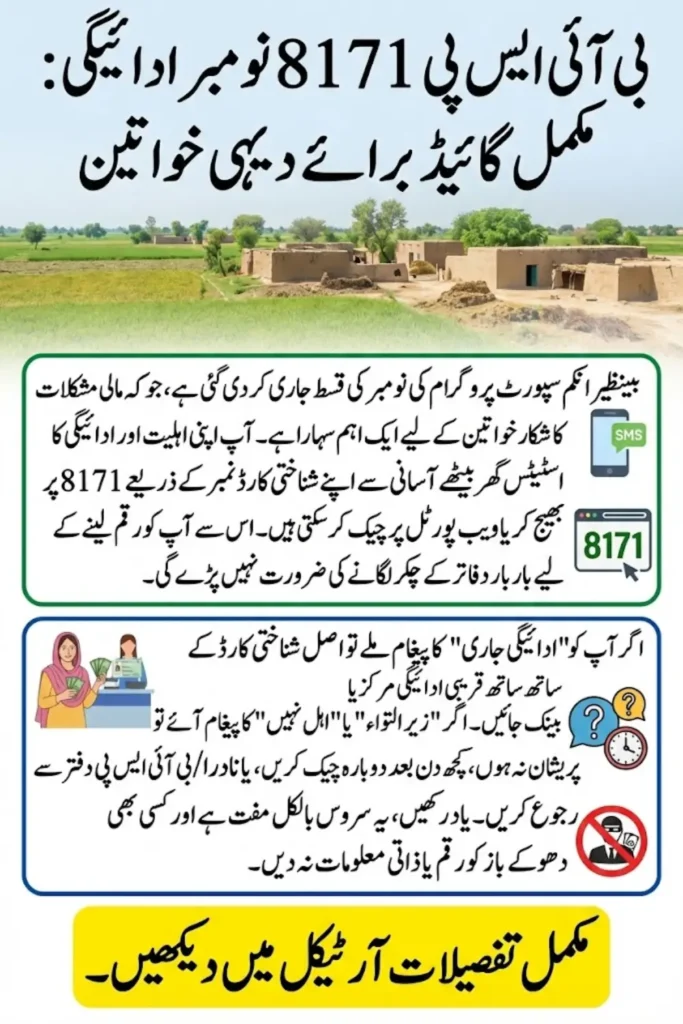
The BISP 8171 system helps registered women check their eligibility and payment status without visiting any office. This online and SMS-based service is designed to make the process simple and transparent. Women can easily find out whether their payment is approved, in process, or under verification using their CNIC. The goal of the system is to reduce waiting time, ensure transparency, and make sure that funds reach the right beneficiaries.

Why This Information Is Important for Women
Most BISP beneficiaries are women who manage their households on limited resources. For many families, this support helps cover food, education, and health expenses. Knowing the payment status in advance allows them to prepare their documents and collect the amount without any delay. It also helps them avoid unnecessary visits to payment centers.
Two Easy Methods to Check BISP 8171 Payments
There are two official and simple methods available to check the BISP 8171 November payments:

- Checking through SMS on the number 8171
- Checking through the 8171 web portal online
Both methods are free, quick, and accessible from anywhere in Pakistan.
Method 1: Check via SMS (8171)
To check your eligibility or payment status using SMS, follow these simple steps carefully:
- Open the SMS application on your mobile phone.
- Type your 13-digit CNIC number without spaces or dashes.
- Send the message to 8171.
- Wait for a response message. It may take a few minutes depending on the network.
- The reply will show whether your payment is released, under verification, or not eligible.
Make sure you send the message from the SIM card that is registered with your CNIC, because BISP only responds to numbers linked to your ID.
Method 2: Check via the 8171 Web Portal
If you have access to the internet, the web portal is a very reliable and detailed option. Follow these steps:
- Go to the official BISP 8171 website at https://8171.bisp.gov.pk
- Enter your 13-digit CNIC number in the given box.
- Type the captcha code exactly as shown on the screen.
- Click the “Check” or “Submit” button.
- Your eligibility and payment details will appear on the screen, including whether payment is ready, under process, or pending verification.
The web portal is also useful because it sometimes provides extra information such as the payment center or bank name where you need to collect your funds.
Comparison of SMS and Web Portal Methods
| Method | Requirement | Time to Get Result | Information Provided | Best For |
|---|---|---|---|---|
| SMS to 8171 | Any mobile phone with a registered SIM | Less than 1 minute | Eligibility and payment status | Quick checks without internet |
| 8171 Web Portal | Internet access and CNIC | Instant on website | Full payment details and assigned center | Detailed online results |
Common Messages from 8171 and Their Meanings
When you check your status through SMS or online, you might receive one of the following messages. Each has a specific meaning and requires a different action.
| Message Received | Meaning | What You Should Do |
|---|---|---|
| Eligible / Payment Released | Your payment is approved and ready to collect | Visit the assigned bank or payment center with your CNIC |
| Under Verification | Your record is still being verified by NADRA or BISP | Wait a few days or visit your nearest registration center |
| Not Eligible / No Record Found | You are not listed in the program | Reapply through the nearest Ehsaas or BISP office |
| Payment Delayed | Technical or bank issue in disbursement | Check again after 24 hours or contact the helpline |
What to Do If You Are Not Eligible or Under Verification
If your CNIC shows that your record is still under verification or not eligible, do not worry. Sometimes, data updates from NADRA or BISP take time to appear in the system. You can try checking again after 48 to 72 hours. If the problem continues, visit your nearest BISP registration center or NADRA office to confirm your family information and biometric verification. Women who update their data usually get their eligibility status corrected soon after.
How and Where to Collect Your Payment
Once your payment status shows as “Payment Released,” you can collect the money from the assigned location. Payments are usually made through NADRA biometric centers, partner banks, or designated BISP payment points. Bring your original CNIC for biometric verification. Do not forget to confirm the payment amount and receipt before leaving the counter.
Some banks are now providing digital wallet options for beneficiaries, allowing them to receive money directly into their mobile accounts. If this option is available, the portal or SMS reply will inform you about it.
Important Tips for Women Beneficiaries
- Always bring your original CNIC while collecting the payment.
- If your SIM is not registered with your CNIC, update it from your network office.
- Keep your children’s school records updated if you also receive Taleemi Wazaif (education stipends).
- Avoid visiting the centers at peak hours to prevent long queues.
- Keep your BISP messages safe for record purposes.
- If anyone asks for a bribe or fee for checking eligibility, immediately report it to BISP officials.
Avoiding Scams and Fake Messages
Be careful of fake messages or phone calls asking for your CNIC or personal details. The official BISP system only uses the number 8171 for communication. Do not respond to any other number claiming to provide payment updates. The official website for all updates is https://8171.bisp.gov.pk. For complaints, contact the BISP helpline or visit your nearest BISP office.
Conclusion
Checking your BISP 8171 November payment status using your National ID Card is simple, quick, and secure. You can either send an SMS to 8171 or use the 8171 web portal to see whether your payment is ready or under process. The government’s digital verification system ensures transparency and fairness, so every eligible woman receives her rightful financial support. Always use official methods, keep your documents updated, and stay informed through trusted BISP channels.
FAQs
How can I check my BISP 8171 November payment status?
You can check it either by sending your CNIC number to 8171 or by visiting the official 8171 web portal.
What should I do if I do not receive any reply after sending an SMS?
Make sure you are using the SIM registered under your CNIC and try again later, or use the web portal.
Can someone else collect my BISP payment on my behalf?
No, payments are released only after biometric verification of the original CNIC holder.
What if my status says “Under Verification”?
Wait a few days and check again. If it remains the same, visit the nearest BISP office or NADRA center for an update.

Is there any fee to check the payment status through 8171?
No, checking through 8171 is completely free of charge.